Estimated read time: 3 minutes
Copying slides between Impress documents in Collabora Online was working already, see e.g. a feature Friday video from last year for details.
This post is meant to detail how we managed to make it about 5 times faster for large presentations with lots of high-resolution screenshots.
Motivation
Impress supports lazy-loading images. This means that once you open a presentation with lots of slides (our testcase was 85 slides), then only the first few slides are rendered, and the images on other slides aren't even parsed / decompressed.
This is good, the first slide is rendered faster this way. Also the preview of the first few slides are shown, but the rest of the slides are not rendered, so you can even edit the first slides without "swapping in" images on later slides.
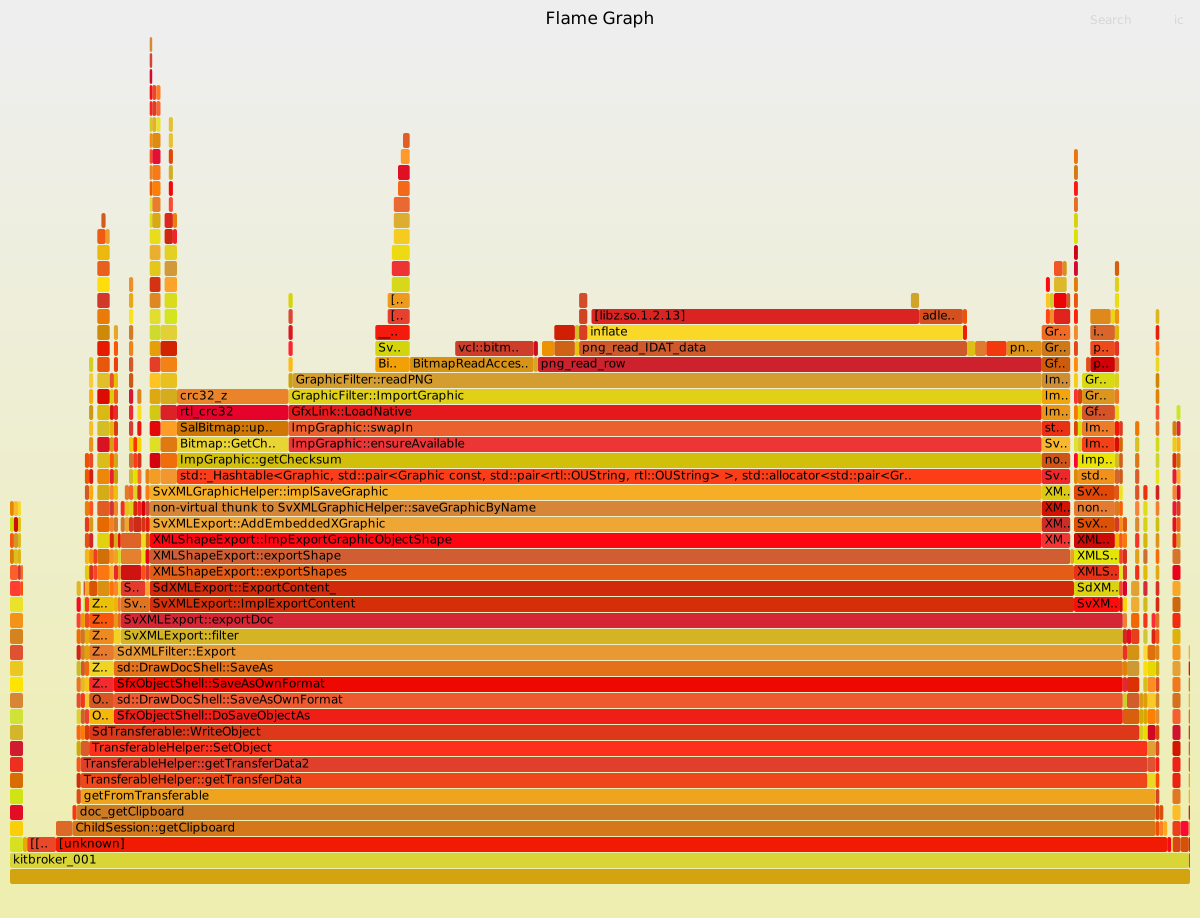
But we noticed that copying slides between documents means saving the copied slides to ODP, and we swap in images during ODP save, which makes this operation slower than it needs to be. In practice 75% of the cost was uncompressing PNG files to calculate a checksum on the raw pixel data:
Results so far
The the issue shows that our goal is to
not call ImpGraphic::ensureAvailable() while saving to ODP. The first step was to calculate the
checksum on the compressed image data. After that, we get a new flamegraph:
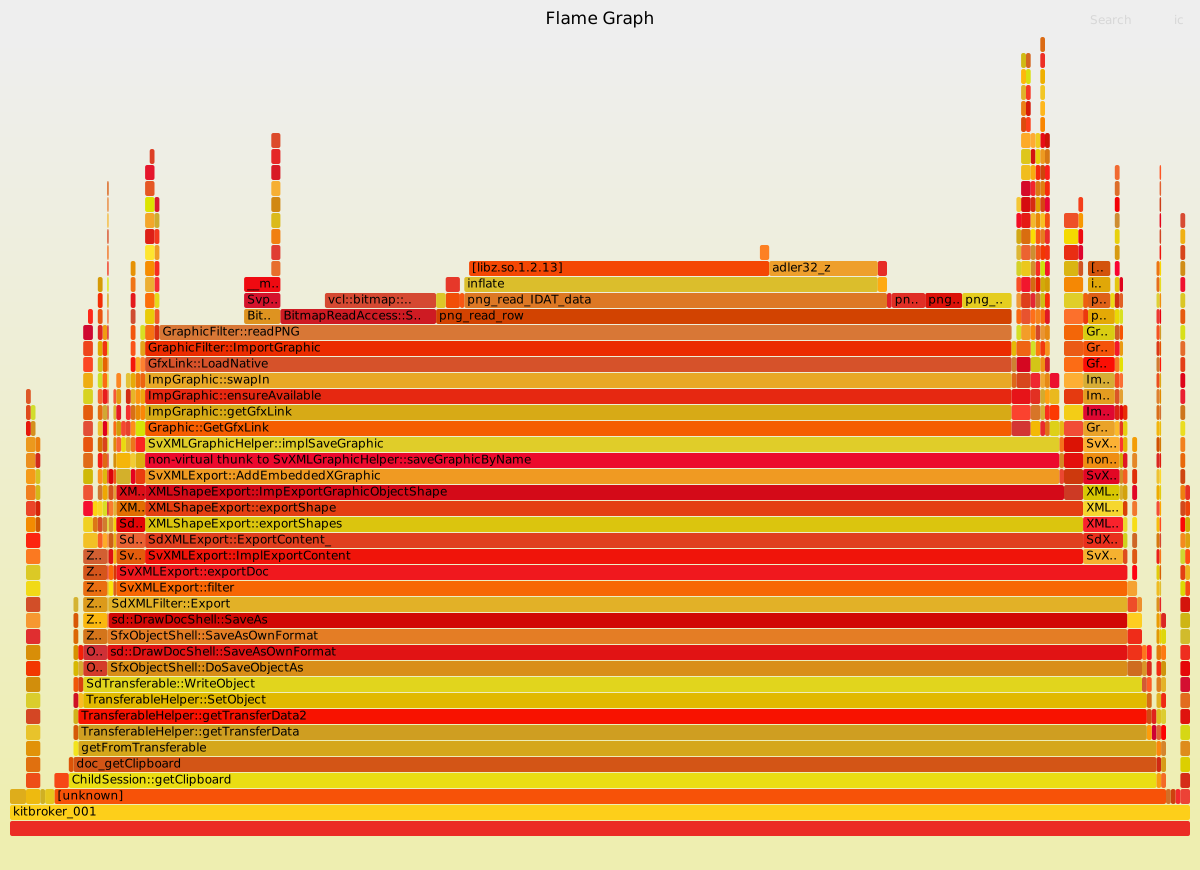
Here we swapped in to always have access to a "graphic link". This gives access to the underlying compressed image data. But a just created image may not have that compressed form, so if you unconditionally want a "graphic link", you hit a complex code path, which includes swapping the image in. The solution is to ask for the "shared graphic link", which may not be available. It is typically available and is the fast path; and we have fallback code in place if the graphic has no "graphic link". After fixing that, we get a third bad flamegraph:
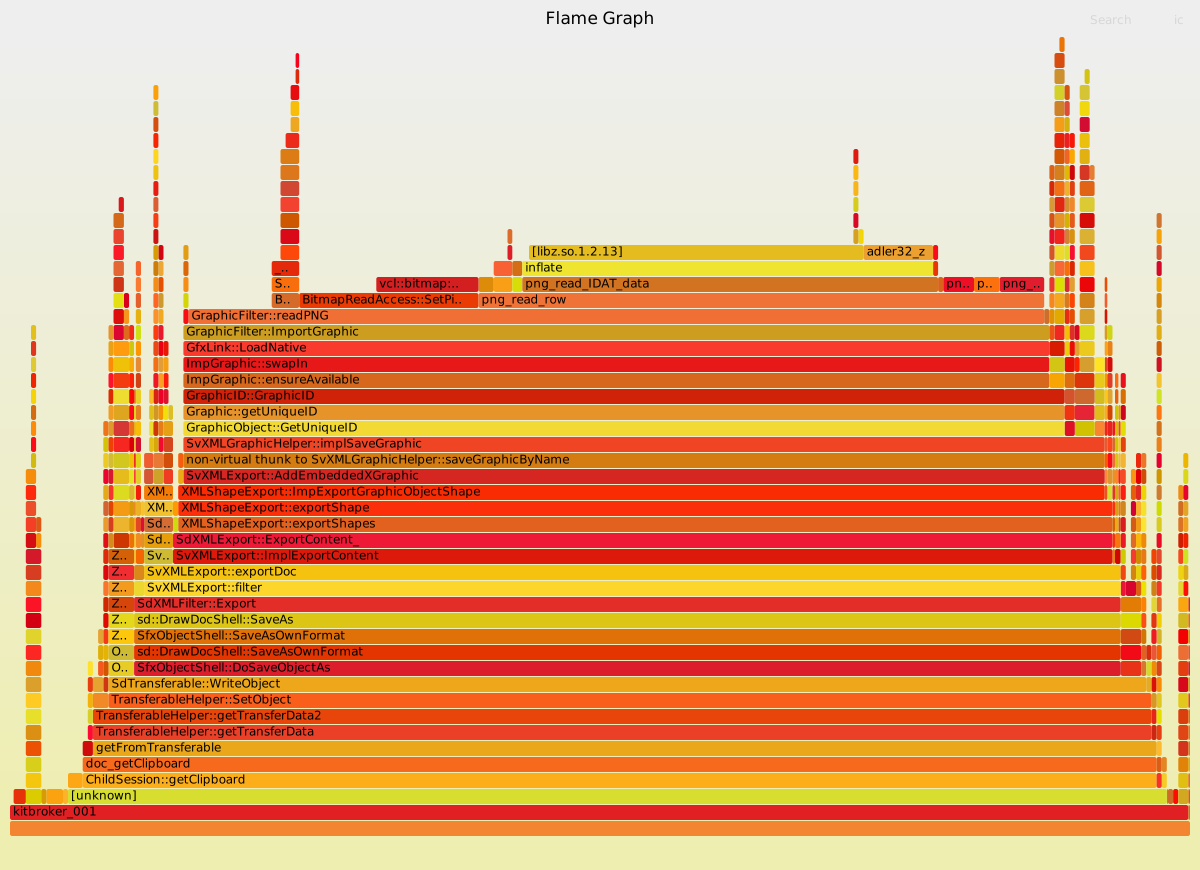
This last problem is around producing something called a GraphicID. This is used to identify an
image in a unique way, and ODP save uses it to name the graphic in the ZIP file as something like Pictures/10000201000000130000001391B82C7409B72726.png. After fixing that to only use image metadata we get a much more reasonable performance profile:
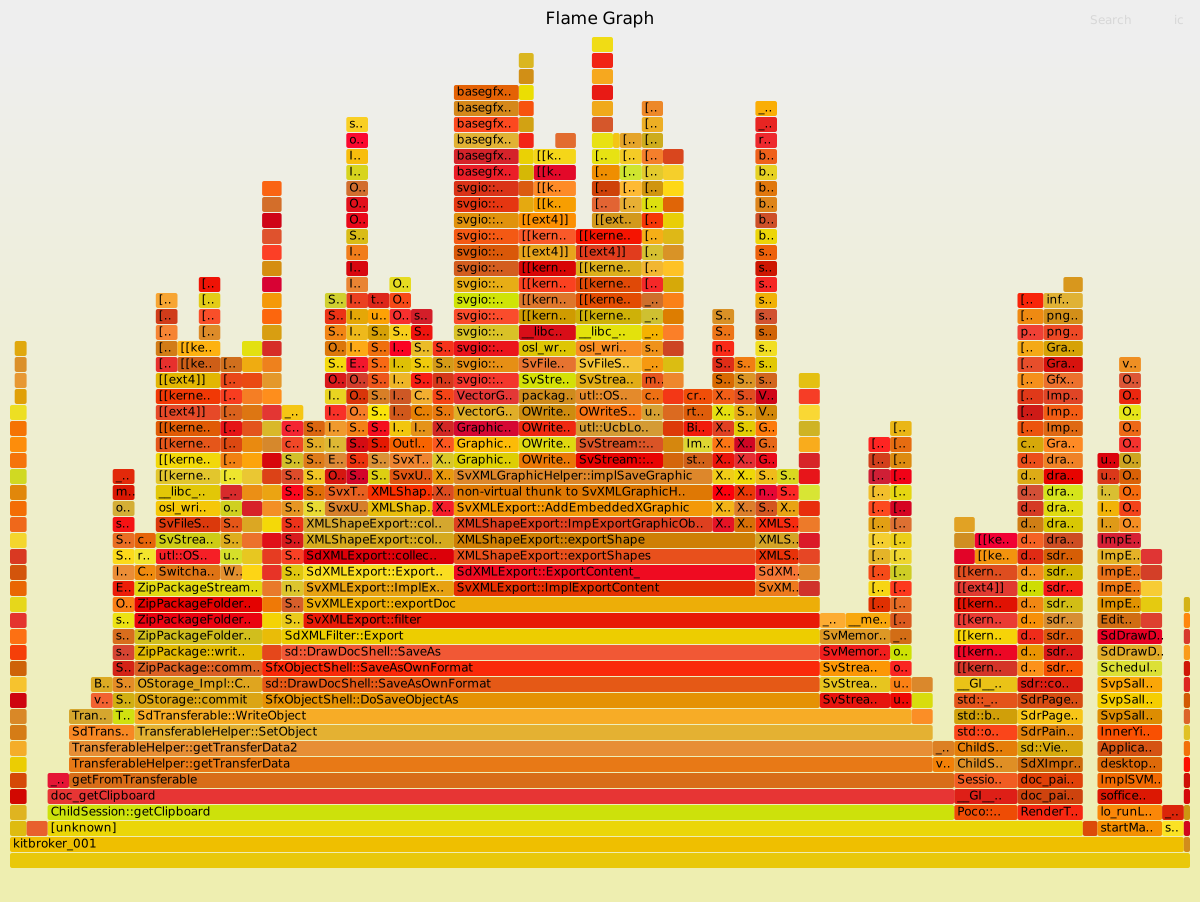
For a sample document, copying 85 slides used to take 5100 ms, and now takes 978 ms (19% of baseline) with these improvements.
How is this implemented?
If you would like to know a bit more about how this works, continue reading... :-)
As usual, the high-level problem was addressed by a series of small changes:
- cool#15962 engine vcl: move the CRC to being on the compressed stream if we have one
- Related: cool#15962 engine vcl: add a checksum to the BinaryDataContainer
- cool#15962 engine xmloff: save graphic using the shared gfx link
- cool#15962 engine vcl: construct GraphicID for PNG files without swapping in
Want to start using this?
You can get a development edition of Collabora Online 26.04 and try it out yourself right now: try the development edition.