Estimated read time: 2 minutes
Szymon added a bottom panel for slide notes to Collabora Online Impress about 2 weeks ago.
This post is meant to show how clipboard support was implemented for this: both via keyboard and notebookbar buttons.
Motivation
Users expect that whenever they make a selection on the UI, they can cut or copy that. And they can put the cursor to a position and can paste there. The notes bottom panel in Impress is a special area, which is backed by a "content editable" element in the browser and by an "editeng" widget on the server, so it's different from the normal document editing canvas where copy&paste used to work already in the past.
Results so far
The the issue shows that you can use the notebookbar to open a notes panel at the bottom:
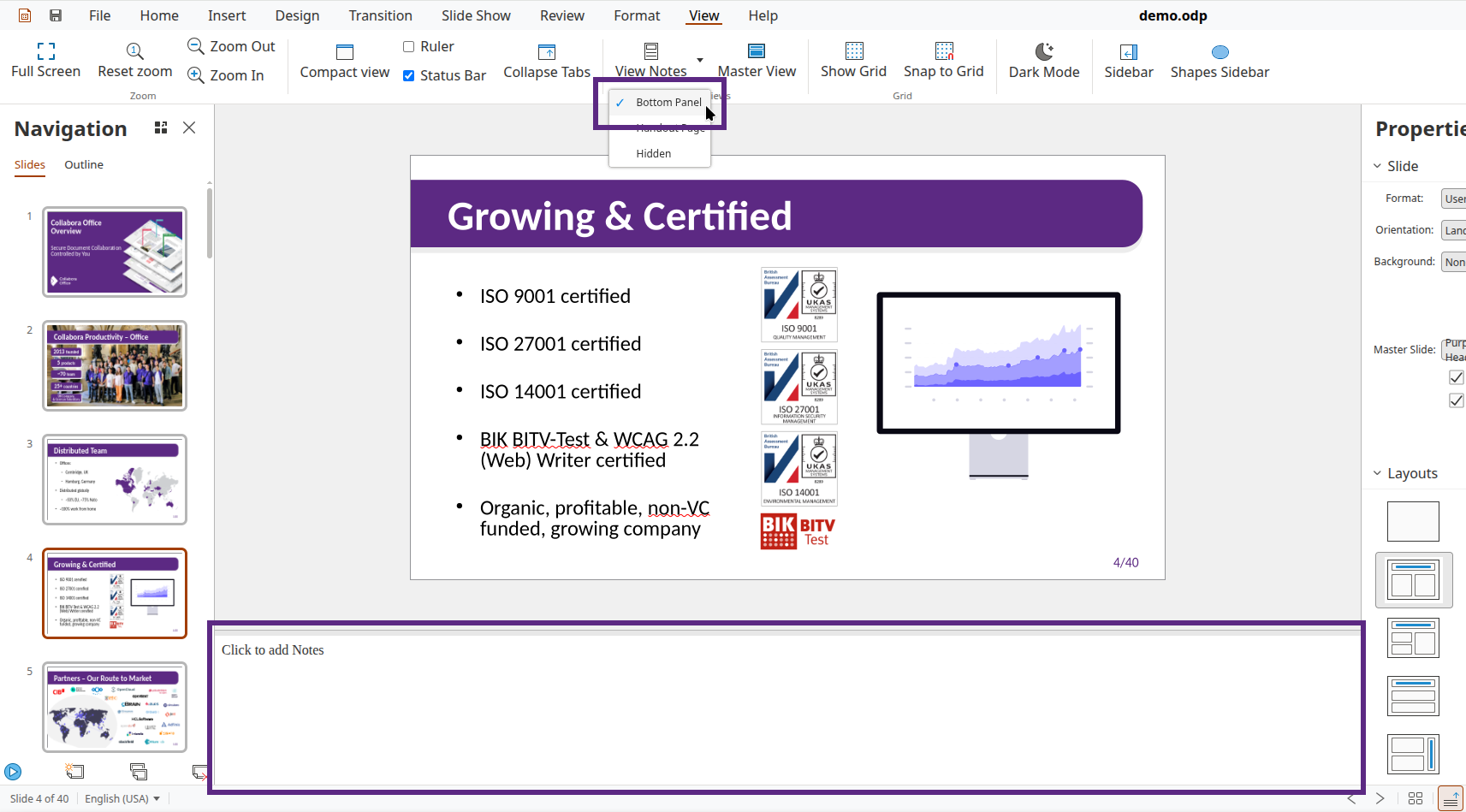
But then copy&paste wasn't working at all:
- First I had to fix the Ctrl-X/C/V shortcuts, I could model that after Writer comments, which are also in JavaScript, outside the normal document editing canvas.
- Then paste via the notebookbar button was a next step, which was a bit more tricky, since once you click on a notebookbar button, the notes panel doesn't have the focus anymore.
- Finally cut and copy via the notebookbar is now also working, which had to enable these buttons even if the document editing canvas had no selection, but it works at the end.
How is this implemented?
If you would like to know a bit more about how this works, continue reading... :-)
As usual, the high-level problem was addressed by a series of small changes:
- cool#16242 browser: handle clipboard shortcuts in the Impress notes bottom panel
- cool#16242 browser: handle paste from notebookbar in the Impress notes bottom panel
- cool#16242 browser: handle cut/copy from notebookbar in the Impress notes bottom panel
Want to start using this?
You can get a development edition of Collabora Online 26.04 and try it out yourself right now: try the development edition.