Estimated read time: 3 minutes
Writer recently got a new markdown import option to take styles from a template, leading to much prettier output when converting markdown to PDF, DOCX or ODT.
This work is primarily for Collabora Online, but the templating feature is available in desktop Writer as well.
Motivation
A previous post mentioned recent improvements to the markdown import/export in Writer.
But if you convert some markdown to e.g. PDF, all the headings just have the default look, wouldn't it be nice to take your organization template and add colors and other formatting there, automatically?
Also, wouldn't it be nice if you could paste as markdown in COOL or copy the current selection as markdown? Which would enable all sorts of interesting use-cases, like using an external API to turn the selection into a summary or translating it to a different language.
Results so far
Here is a sample input markdown:
# heading 1

body text
Here is how it looks like if you template it using the core.git sw/qa/filter/md/data/template.docx
sample:
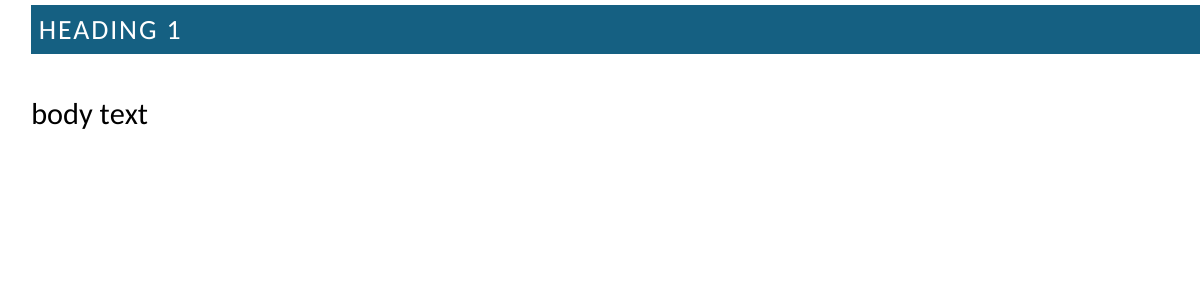
curl invocation for this:
curl -k -F "data=@/path/to/test.md" -F "template=@/path/to/template.docx" -F "format=pdf" -o out.pdf https://localhost:9980/cool/convert-to
Or example desktop command-line:
soffice --infilter='Markdown:{"TemplateURL":{"type":"string","value":"./template.ott"}}' test.md
While it would look like this by default:

The other part is the PostMessage API of COOL, if you want to copy and paste as markdown. What's newly possible:
- Copy the current selection: set MessageId to
Action_Copyand the value to{"Mimetype": "text/markdown;charset=utf-8"} - Paste at the current cursor position: set MessageId to
Action_Pasteand the value to something like{"Mimetype": "text/markdown;charset=utf-8", "Data": "foo _bar_ baz"}
You can read more about the PostMessage API in the COOL SDK.
How is this implemented?
If you would like to know a bit more about how this works, continue reading... :-)
As usual, the high-level problem was addressed by a series of small changes. Core side:
- tdf#169316 sw markdown import: add a TemplateURL parameter
- tdf#169316 sw markdown import, template: handle non-ODF formats as well
- cool#13468 sw markdown paste: add UNO command parameter to skip the detection
- Related: tdf#169251 sw markdown export: fix crash on OLE with no graphic
Online side:
- cool#13419 convert-to template option: handle multiple streams in ConvertToPartHandler
- cool#13419 convert-to template option: pass it to doc broker
- cool#13419 convert-to template option: pass it to the kit process
- cool#13419 convert-to template option: more strict param name, generalize filenames
- cool#13419 convert-to template option: add testcase
- cool#13468 PostMessage API: allow copying the current text selection
Want to start using this?
You can get a development edition of Collabora Online 25.04 and try it out yourself right now: try the development edition. Collabora intends to continue supporting and contributing to LibreOffice, the code is merged so we expect the core of this work will be available in TDF's next release too (26.2).