Estimated read time: 2 minutes
Writer has a markdown import/export filter in Collabora Online, see the post from December for more info about the filter in general.
This post is meant to detail a recent improvement when a markdown snippet is on the clipboard and it's pasted into an existing Writer document.
Motivation
Writer import filters operate in two modes: normally an empty model gets populated by reading user input from a file, in a certain format. You can also paste similar data from the clipboard, in which case the target model is not empty and this introduces some complexity.
The markdown import was missing some tweaks which were there already in the ODT and RTF paste code. Additionally, given that markdown only allows limited formatting, it makes sense to inherit more formatting from the paste position, so the pasted content's formatting is consistent with the formatting of the surrounding content.
Results so far
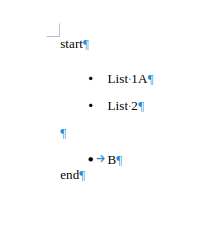
The document from the issue had bullets with text "A" and "B", the first problem was that pasting before "A" resulted in a mix of existing vs pasted content:
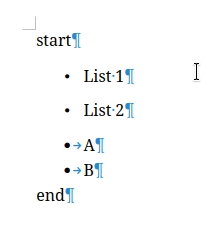
After fixing that, the problem was that the bullet format from markdown and in the existing document was different:
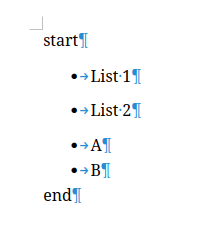
Once that got fixed, the paragraph style was still bad:
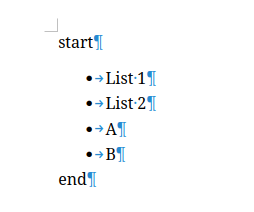
Which lead to the correct paste result:
As a bonus point, undo for the paste now works correctly, too.
How is this implemented?
If you would like to know a bit more about how this works, continue reading... :-)
As usual, the high-level problem was addressed by a series of small changes:
- cool#15535 sw markdown import: handle pasting into an existing paragraph
- Related: cool#15535 sw markdown import: use matching num rule if possible
- Related: cool#15535 sw markdown import: use matching paragraph formatting
Want to start using this?
You can get a development edition of Collabora Online 25.04 and try it out yourself right now: try the development edition.