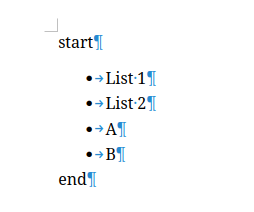
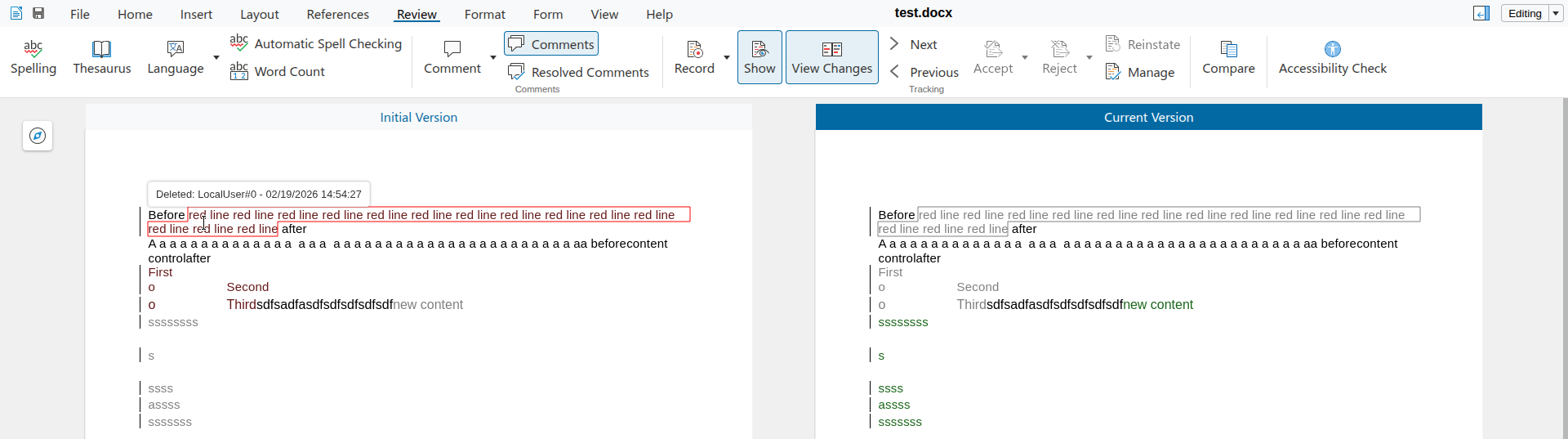
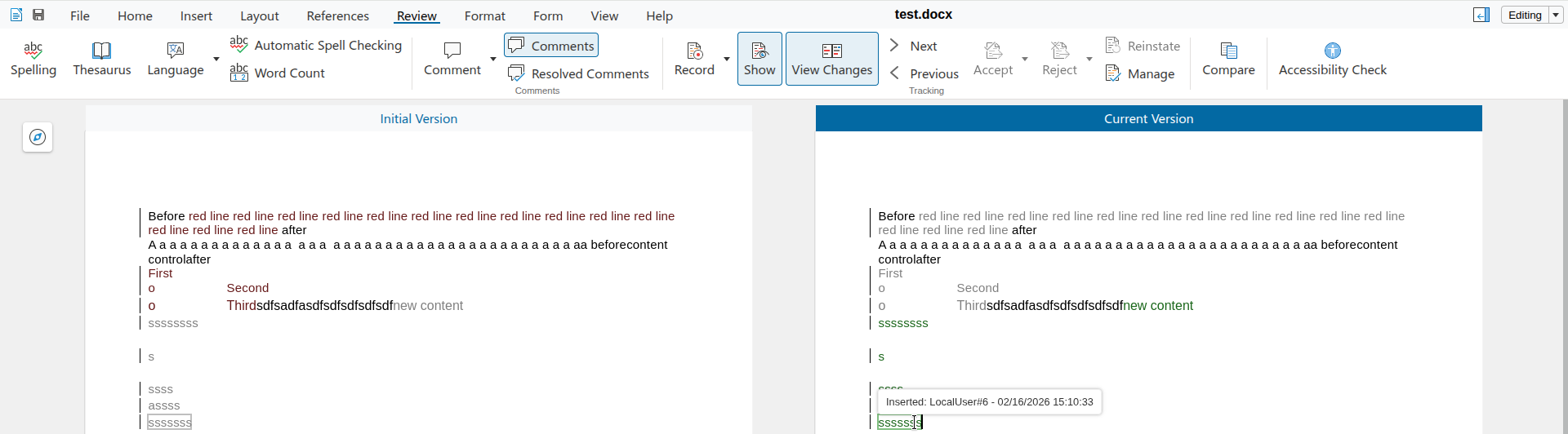
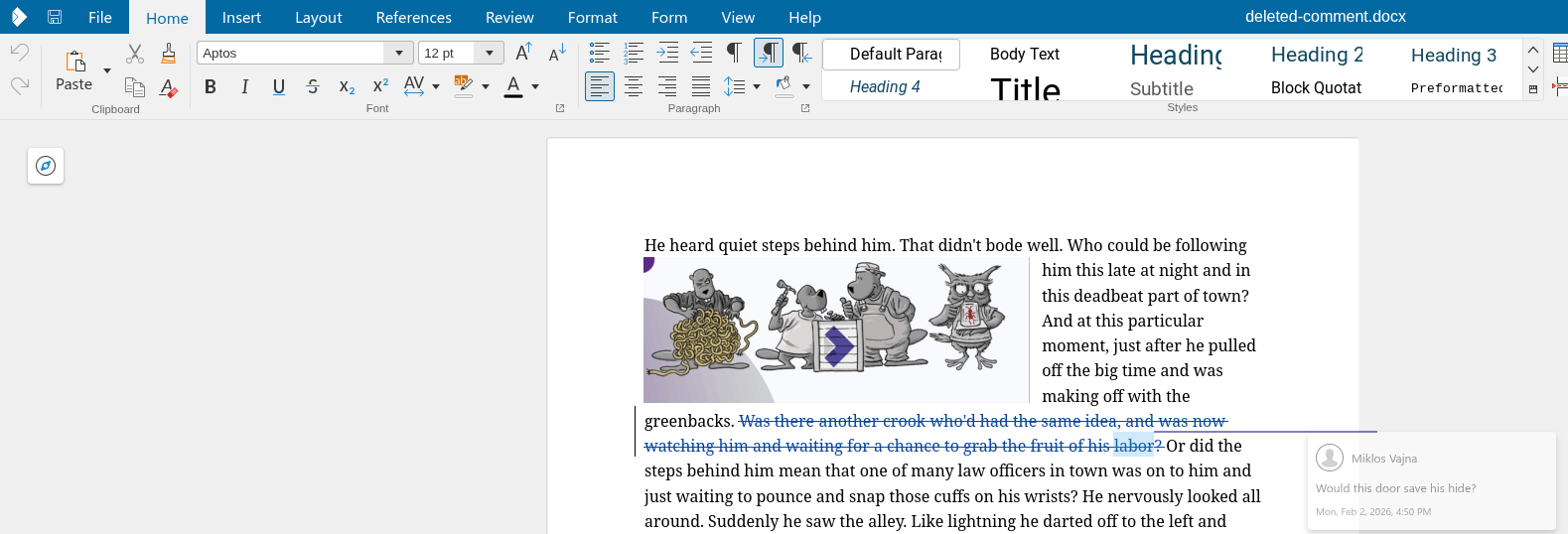
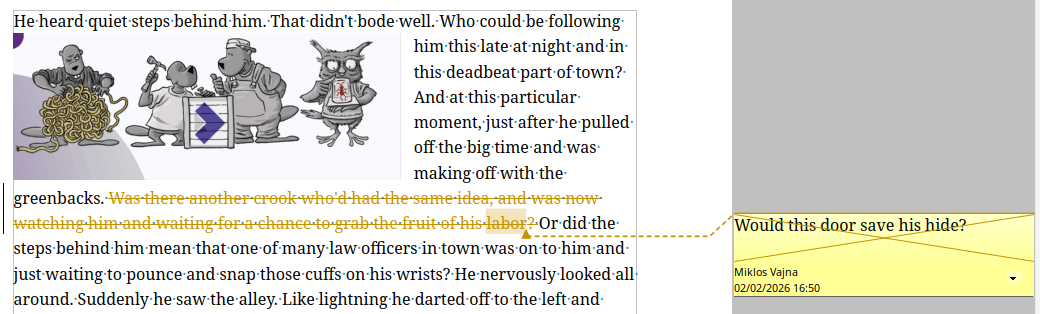
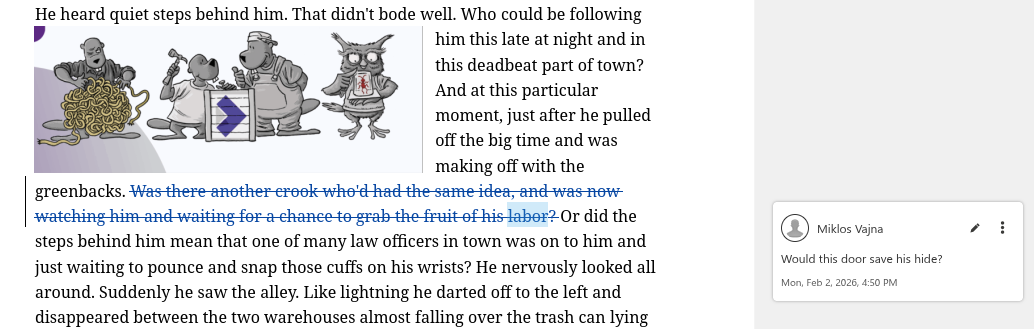
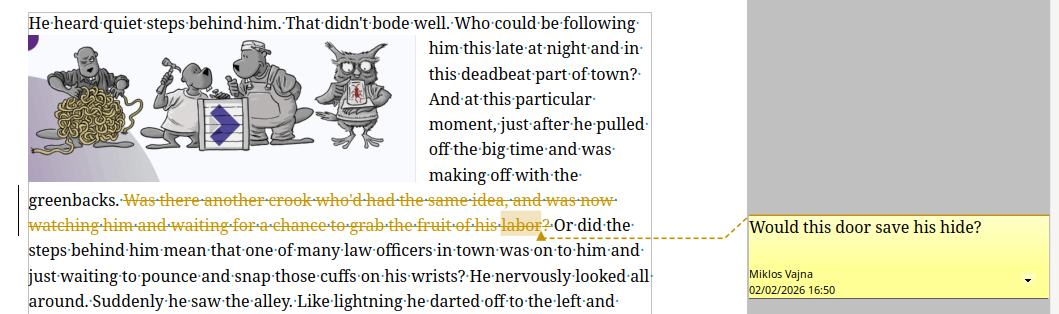
If you have a commented text range, which gets deleted while track changes is on and you later save
and load this with Writer's DOCX filter, that works now correctly.
This work is primarily for Collabora Online, but the feature is
available in desktop Writer as well.
It was already possible to comment on text ranges. Comments were also supported inside deletes when
track changes is enabled. These could be already exported to and imported from DOCX in Writer. But
you could not combine these.
With the increasing popularity of commenting text ranges (rather than just inserting a comment with
an anchor), not being able to combine these was annoying.
This required changes to both DOCX import and export: a comment could be deleted or could have an
anchor which is a text range, but you couldn't have both.
You can get a development edition of Collabora Online 25.04 and try it out yourself right now: try
the development edition. Collabora intends to continue

supporting and contributing to LibreOffice, the code is merged so we expect all of this work will be
available in TDF's next release too (26.8).
Probably the most simple presentations are just a couple of slides, each slide having a title shape
and an outliner shape, containing some bullets, perhaps with some additional images. Images are just
bitmaps, so let's focus on outliner shapes and their outliner / bullet styles.
What happens if you save these to PPTX and load it back? Can you toggle between a numbering and a
bullet? Can you return to an outliner style after you had direct formatting for your bullet?
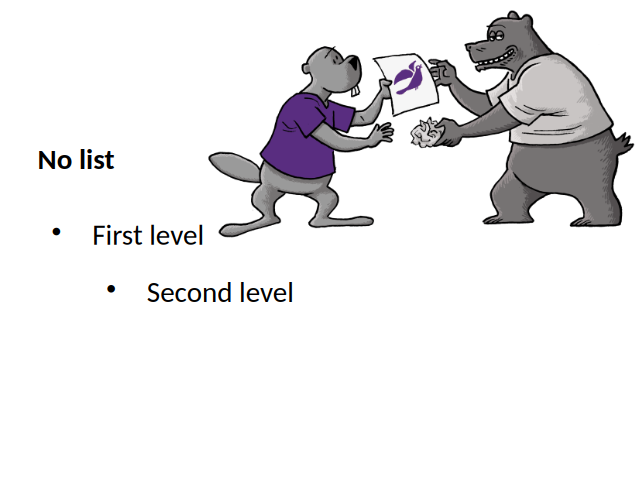
If you pressed enter at the end of 'First level', then pressed <tab> to promote the current
paragraph to the second level, nothing happened. The reason for this was that our PPTX export was
missing the list styles of shapes, except for the very first list style. And the same was missing on
the import side, too. With this, not only the rendering of the bullets are OK, but also adding new
paragraphs and using promoting / demoting to change levels work as expected.
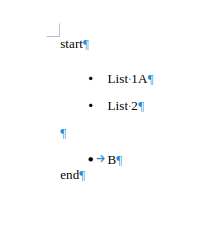
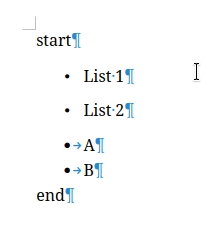
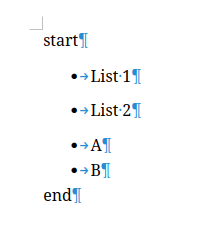
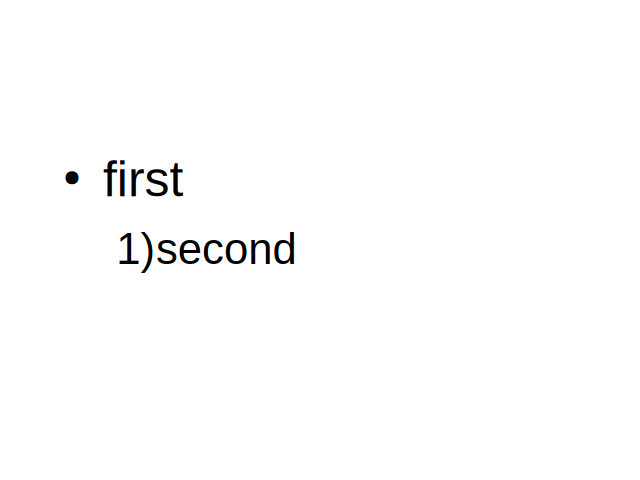
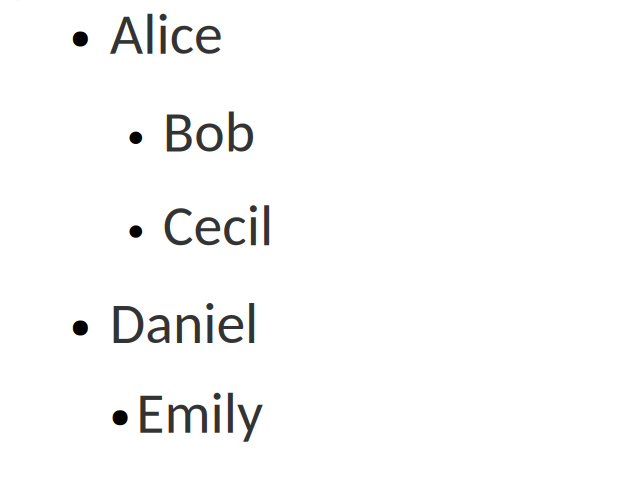
The second case was about this document, where the second level had a numbering, not a bullet:
We only had UI to first toggle off a numbering to no numbering, then you could toggle on bullets.
Now it's possible to do this change in one step.
The last case was about styles. Imagine that you had a master page with an outline shape and some
reasonably looking configuration for the first and second levels as outline styles:
Notice how the last paragraph has a slightly inconsistent formatting, due to direct formatting.
Let's fix this.
Go to the end of the last bullet, which is currently not connected to an outline style, toggle
bullets off and then toggle it on again. Now we clear direct formatting when we turn off the bullet,
so next time you turn bullets on, it'll be again connected to the outline style's bullet
configuration and the content will look better.
Note how this even improves consistency: Writer was behaving the same way already, when toggling
bullets off and then toggle on again resulted in getting rid of previously applied unwanted direct
formatting.
You can get a development edition of Collabora Online 25.04 and try it out yourself right now: try
the development edition. Collabora intends to continue
supporting and contributing to LibreOffice, the code is merged so we expect the core of this work
will be available in TDF's next release too (26.2).
Writer recently got a new markdown import option to take styles from a template, leading to much
prettier output when converting markdown to PDF, DOCX or ODT.
This work is primarily for Collabora Online, but the templating
feature is available in desktop Writer as well.
A previous post mentioned recent improvements to the
markdown import/export in Writer.
But if you convert some markdown to e.g. PDF, all the headings just have the default look, wouldn't
it be nice to take your organization template and add colors and other formatting there,
automatically?
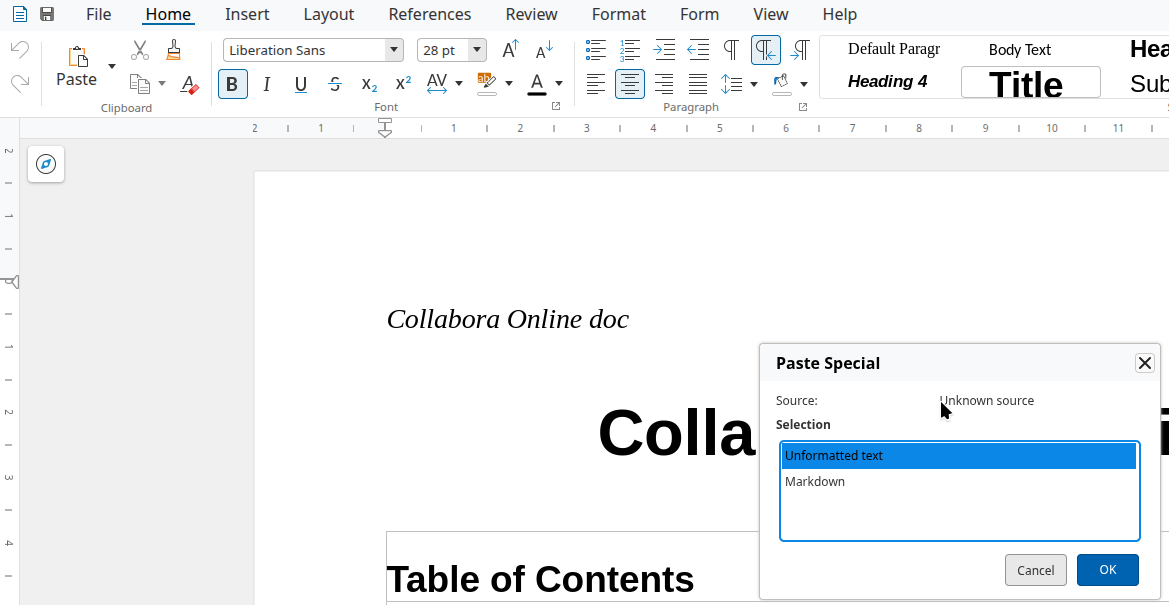
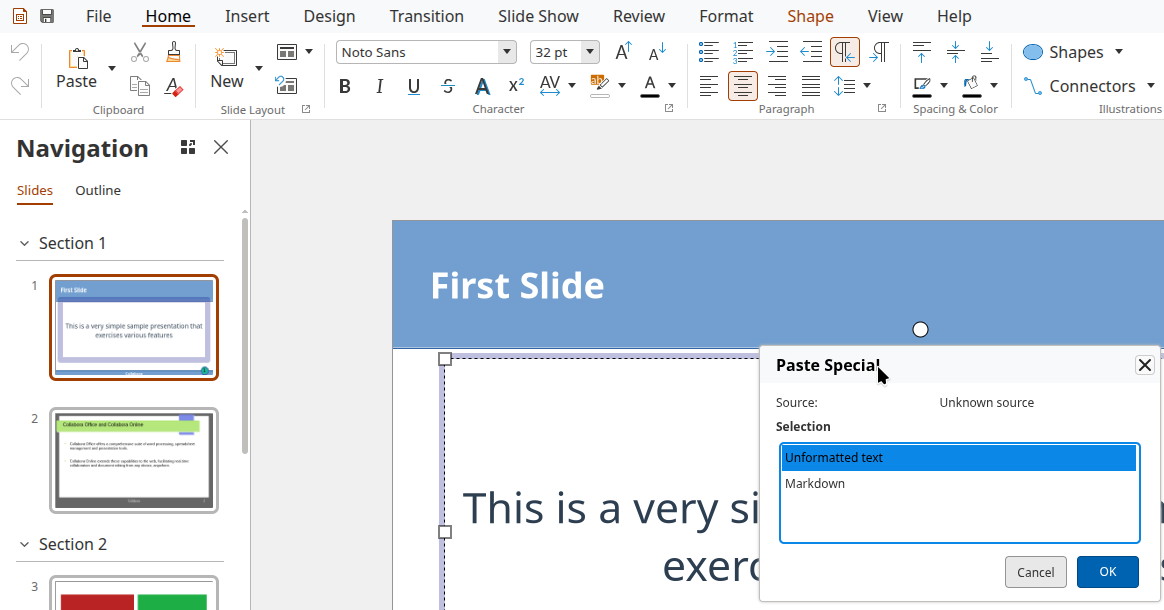
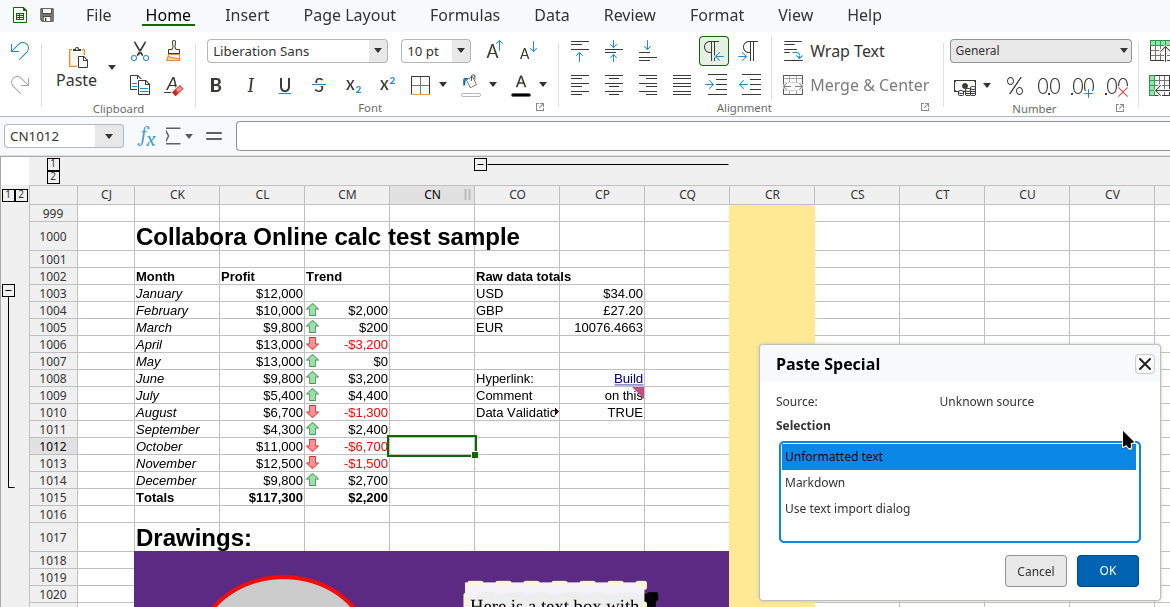
Also, wouldn't it be nice if you could paste as markdown in COOL or copy the current selection as
markdown? Which would enable all sorts of interesting use-cases, like using an external API to turn
the selection into a summary or translating it to a different language.
The other part is the PostMessage API of COOL, if you want to copy and paste as markdown. What's
newly possible:
Copy the current selection: set MessageId to Action_Copy and the value to {"Mimetype": "text/markdown;charset=utf-8"}
Paste at the current cursor position: set MessageId to Action_Paste and the value to
something like {"Mimetype": "text/markdown;charset=utf-8", "Data": "foo _bar_ baz"}
You can read more about the PostMessage API in the COOL
SDK.
You can get a development edition of Collabora Online 25.04 and try it out yourself right now: try
the development edition. Collabora intends to continue
supporting and contributing to LibreOffice, the code is merged so we expect the core of this work
will be available in TDF's next release too (26.2).
Writer has some support for interdependent (or hierarchical) tracked changes: e.g. the case when you
have a delete on top of an insert. See the third
post for background.
This work is primarily for Collabora Online, but the feature is
available in desktop Writer as well.
Interdependent changes mean that the UI shows one type of change on top of another change, e.g.
formatting on top of insert. Writer knows the priority of each type, so in case you have an insert
or delete change and on top of that you have a formatting, then the UI will look "through" the
formatting and work on the underlying insert or delete when you navigate with your cursor to a
position with multiple changes and you press Accept on the Review tab of the notebookbar.
Usually this is what you mean, but what if you want to work on the formatting at the top, directly?
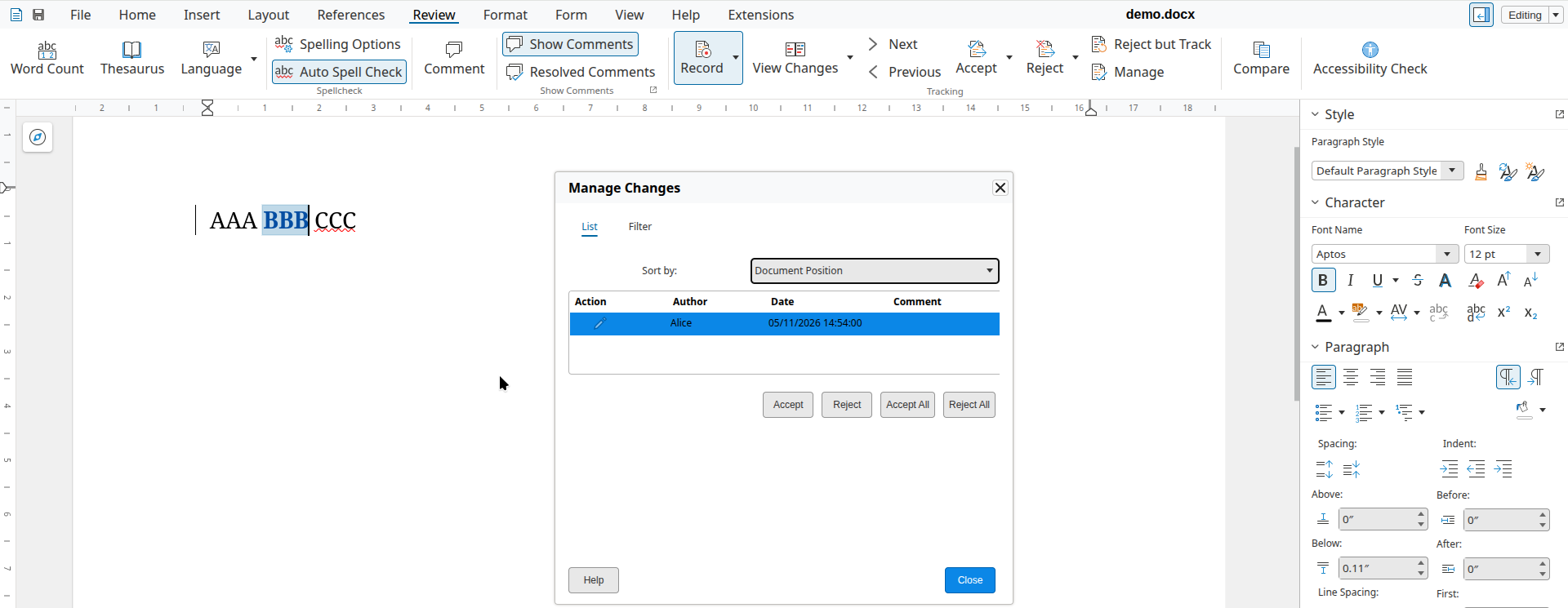
You can now open the Manage Changes dialog using the Manage button on the Review tab of the
notebookbar and if you go to the formatting change row of the dialog, then pressing Accept there
will accept the formatting change, not the insert or delete change. This is possible, because the dialog
gives you a way to precisely select which tracked change you want to work with, even if a specific
cursor position has multiple tracked changes.
Here is a sample ins-then-format.docx document from the core.git testcases, the baseline has an
insertion, and part of that is covered by an additional formatting change on top:
You can get a development edition of Collabora Online 25.04 and try it out yourself right now: try
the development edition. Collabora intends to continue
supporting and contributing to LibreOffice, the code is merged so we expect all of this work will be
available in TDF's next release too (26.2).
Ujjawal Kumar contributed a markdown import to Writer, as part of Google Summer of Code (GSoC) this
summer. Mike Kaganski of Collabora also created a minimal markdown export in Writer. I looked at the
feature differences between the two, and filled in various gaps in the markdown export. I also added
a few general markdown import/export improvements relevant for normal Writer documents, like
embedded image support.
You can get a development edition of Collabora Online 25.04 and try it out yourself right now: try
the development edition. Collabora intends to continue
supporting and contributing to LibreOffice, the code is merged so we expect all of this work will be
available in TDF's next release too (26.2).
Writer has some support for interdependent (or hierarchical) tracked changes: e.g. the case when you
have a delete on top of an insert. See the second
post for background.
This work is primarily for Collabora Online, but the feature is
available in desktop Writer as well.
With the already mentioned improvements in place, the area of format redlines with character style
or direct formatting changes were still lacking: Writer's original model here was just marking a
text range as "formatted" and then either accept the format redline as-is, or reject reverting back
to the paragraph style (default formatting), losing the old character style or old direct
formatting.
Here is a sample case of a document where the old character style is Strong (~bold) and the font
size is 24pt, while the new character style is Quote (~italic) and the font size is 36pt. The rest
of the document uses no specific character styles and has the font size of 12pt:
You can get a development edition of Collabora Online 25.04 and try it out yourself right now: try
the development edition. Collabora intends to continue
supporting and contributing to LibreOffice, the code is merged so we expect all of this work will be
available in TDF's next release too (26.2).
Previous posts described the hardest part of multi-page floating tables: making sure that text can
wrap around them and they can split across pages. In this part, we'll look at a conflicting
requirement. On one hand, headings want their text to not split across pages (and shapes anchored
into paragraphs are considered part of the paragraph, too). On the other hand, it should be OK to
have a floating table at the bottom of a page and the following heading to go to the next page.
It turns out, Writer gave "keep together" a priority, while Word gave "floating tables are OK to
split to a previous page" a priority.
Note that if you have a shape (e.g. a triangle) and not a floating table, then both Word and Writer
prevents the move of that shape to a previous page (if the shape is anchored in a heading); this
difference was there just for floating tables.
This means that we leave layout for shapes unchanged in general: shapes anchored in headings are
still considered to be part of headings and don't split. But for floating tables, we now allow them
to split and use space at a previous page if they fit there.
You can get a development edition of Collabora Online 25.04 and try it out yourself right now: try
the development edition. Collabora intends to continue
supporting and contributing to LibreOffice, the code is merged so we expect all of this work will be
available in TDF's next release too (26.2).
Writer has some support for interdependent (or hierarchical) tracked changes: e.g. the case when you
have a delete on top of an insert. See the first
post for background.
This work is primarily for Collabora Online, but the feature is
available in desktop Writer as well.
With the already mentioned improvements in place, a few areas were still lacking: we didn't have UI
for all cases where the DOCX import was possible already; combining tracked changes (redlines) were
not complete (so you don't have to reject all parts of a logical redline one by one) and some of the
undo/redo code didn't work as expected.
Here is a sample case where the UI was missing to create something that was possible to import from
DOCX: a format redline on top of an insert redline.
You can get a development edition of Collabora Online 25.04 and try it out yourself right now: try
the development edition. Collabora intends to continue
supporting and contributing to LibreOffice, the code is merged so we expect all of this work will be
available in TDF's next release too (25.8).
Writer has some support for interdependent (or hierarchical) tracked changes: e.g. the case when you
have a delete on top of an insert. While there were some working cases, handling of many
combinations were missing. I started to make systematic improvements in this area in the recent
past, this post gives you an overview what's done so far.
This work is primarily for Collabora Online, but the feature is
available in desktop Writer as well.
DOCX files in Word can often have overlapping tracked changes: Writer tries to split these up to
make sure there is only one tracked change under the cursor at the same time. Still, it's possible
that you have a tracked change with multiple types: e.g. a delete on top of an insert.
The focus in on 3 combinations which appear in DOCX files a lot: "insert, then delete", "insert,
then format" and "delete, then format".
This mostly affects the UI and import/export filters of ODT and DOCX.
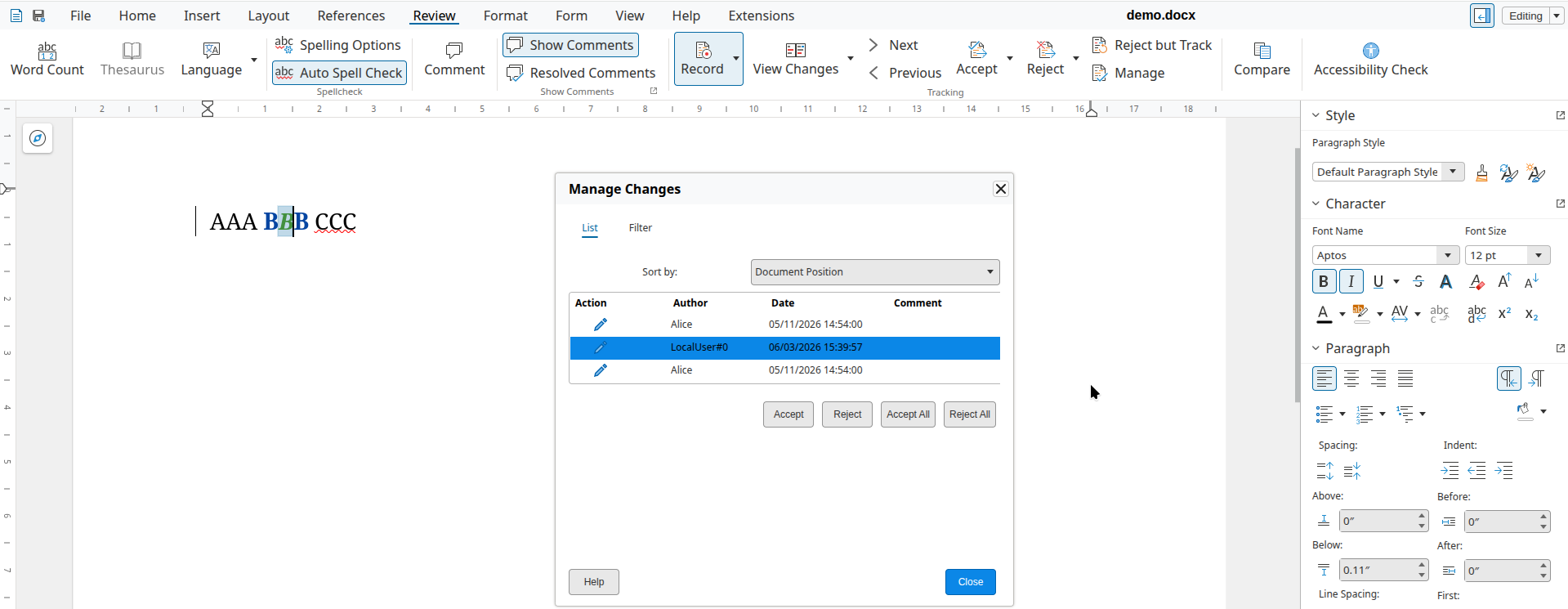
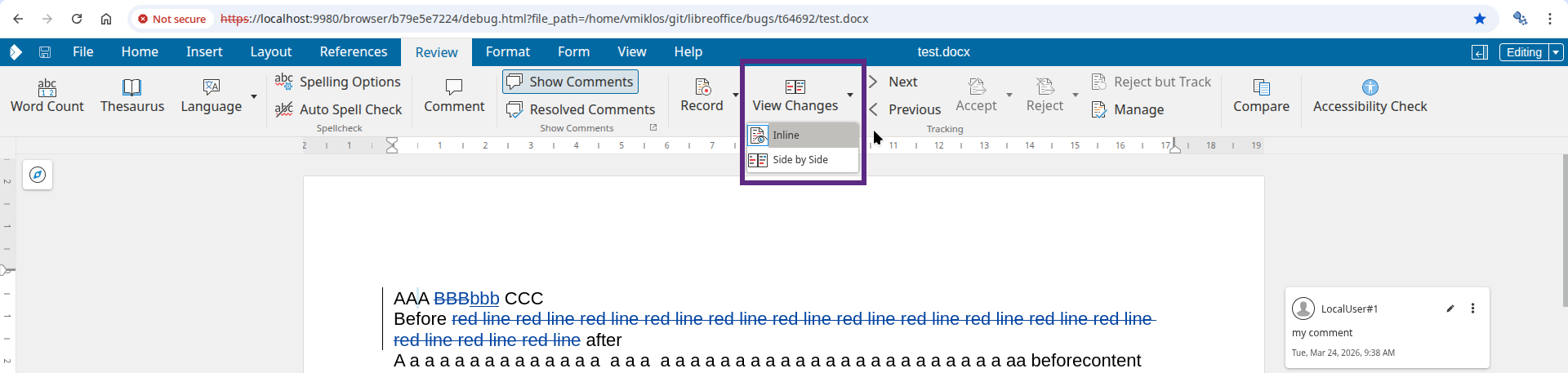
Most operations worked nicely here, but in case your cursor was in the middle of AAA and you did a
reject, followed by an undo, proper handling of that was missing, now implemented.
Accepting when you're inside AAA is now implemented: the insert is accepted for BBB but the
format stays unchanged.
Rejecting when you're inside AAA is now implemented: the insert is rejected and BBB is also
removed, together with the format on top of it.
Accepting the BBB now correctly operates on the insert type, so the format type remains after
accept.
If you accept BBB, now the surrounding AAA and CCC also get accepted as well, as expected.
Now if you reject BBB, then it gets removed from the document, since you rejected an insert.
When you reject BBB, the surrounding AAA and CCC also get rejected.
The combined implementation of these should give you a smooth feeling in case you're used to how
Word works: if there is a format redline combined with an insert, then the operations act on the
insert type, and format is only accepted/rejected when there is no insert "under" the format.
Similarly: it's a bit of an implementation detail that Writer splits redlines on DOCX import: so if
you e.g. accept AAA then we combine that with BBB and CCC when it makes sense, so you need to click
a lot less.
Accepting AAA now correctly operates on the delete type of BBB.
Rejecting AAA now correctly operates on the delete type of BBB.
Accepting BBB now correctly works with the delete type.
Accepting BBB now correctly tries to also accept AAA and CCC, too.
The current state is not yet complete, but it's a big improvement over what we had in the past,
which was mostly focusing on just "insert, then delete".
You may wonder what about some other cases: if you insert some content with change tracking, that
always creates a new tracked change, so "insert" is never on top of something else. Similarly,
format is always on top of something. Finally the same type is never on top of itself.
You can get a development edition of Collabora Online 25.04 and try it out yourself right now: try
the development edition. Collabora intends to continue
supporting and contributing to LibreOffice, the code is merged so we expect all of this work will be
available in TDF's next release too (25.8).
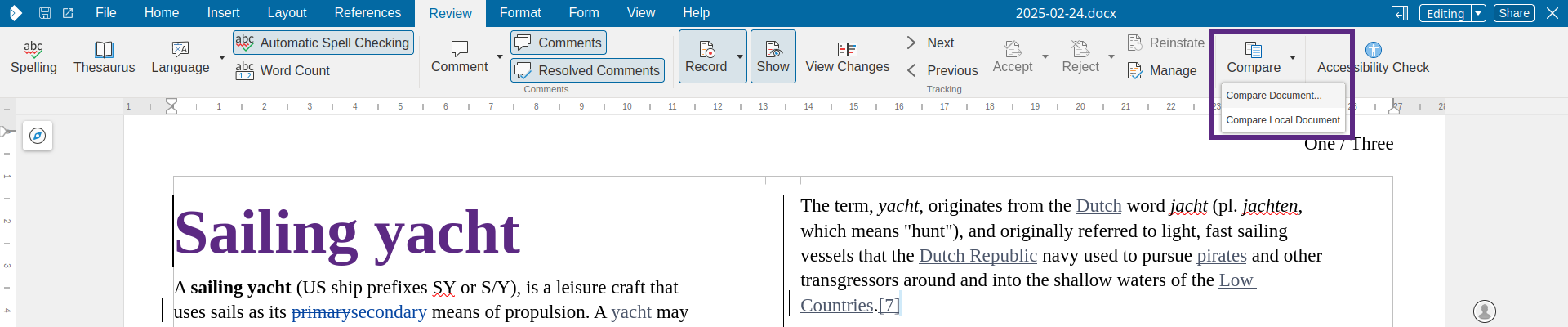
Writer has the concept of rejecting tracked changes: if a proposed insertion or deletion is not
wanted, then one can reject it to push back on the proposal. So far such an action left no trace in
the document, which is sometimes not wanted. Calling reinstate on a change behaves like reject, but
with history: it reinstates the original state, with the rejected change preserved in the document.
This work is primarily for Collabora Online, but the feature is
available in desktop Writer as well.
When Alice works on a document to insert e.g. new conditions for a contract, then perhaps Bob is not
happy with the proposal. But just rejecting the change "silently" would not be polite: the tracked
change then disappears, so possibly Alice thinks it was accepted and Bob didn't communicate the
pushback explicitly in the resulting document, either.
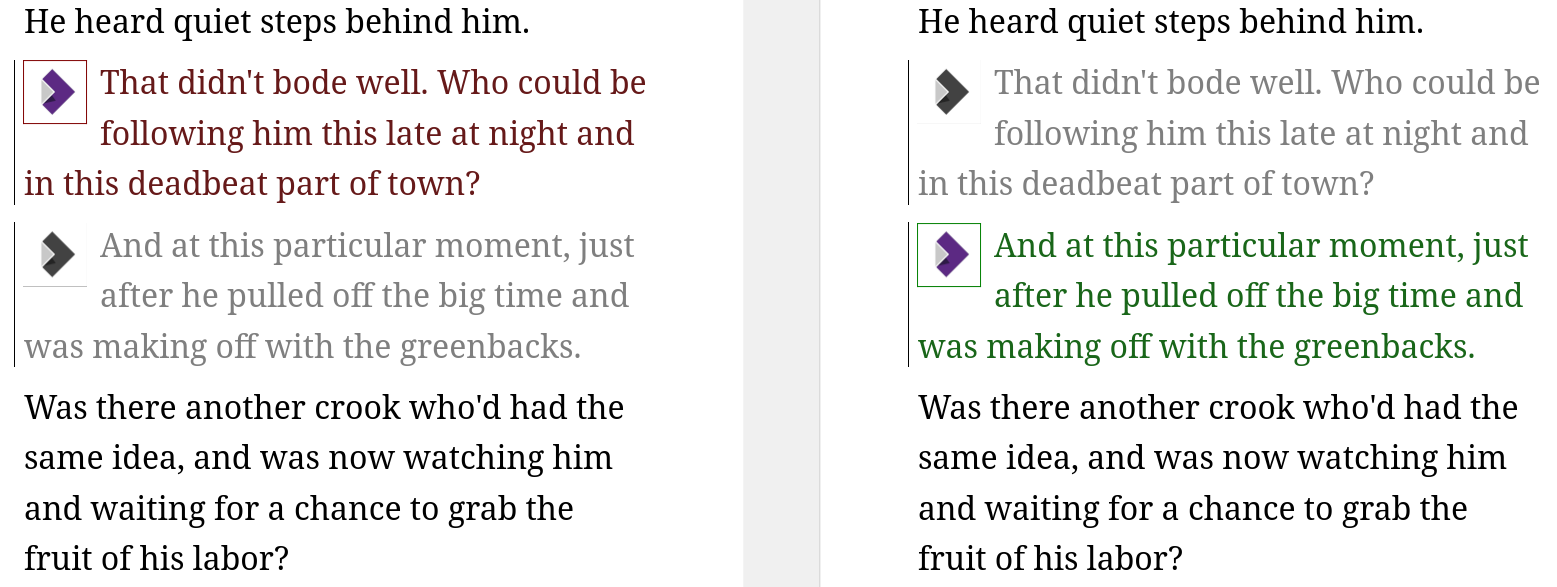
Reinstate is meant to improve this interaction: if an insert is reinstated, then an explicit delete
is created on top of the insert, so Alice can see that Bob was not happy with the proposal. Or in
case Alice proposed a delete, Bob can reinstate that by adding the same content again to the
document, without typing the text manually after the delete.
This is a UI feature: the resulting model still only contains inserts and deletes, so it works even with
DOCX files.
As you can see, this creates the opposite of the original change as a new tracked change, so it will
in the end still reject the change, but without deleting the original change.
You can get a development edition of Collabora Online 25.04 and try it out yourself right now: try
the development edition. Collabora intends to continue
supporting and contributing to LibreOffice, the code is merged so we expect all of this work will be
available in TDF's next release too (25.8).