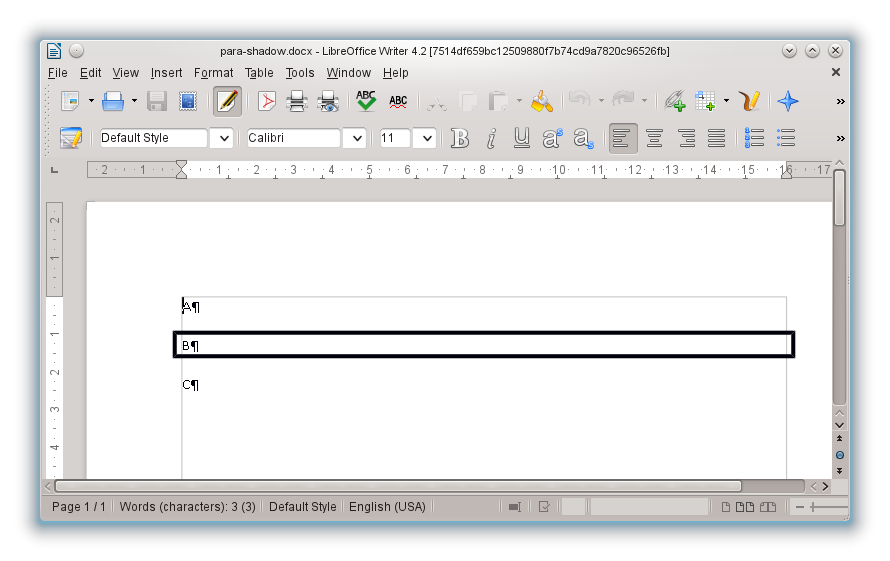
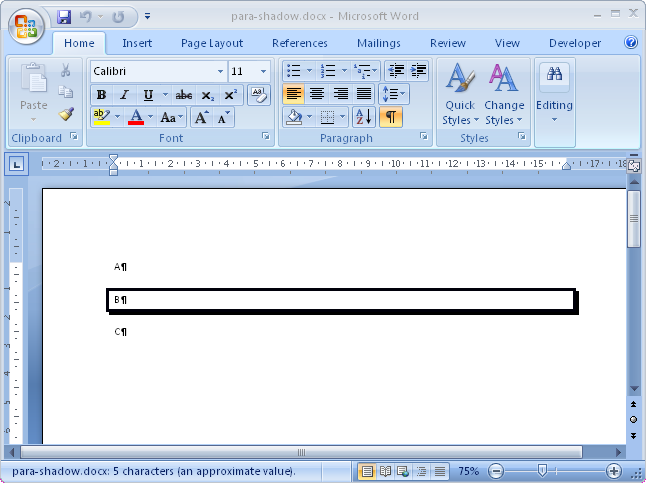
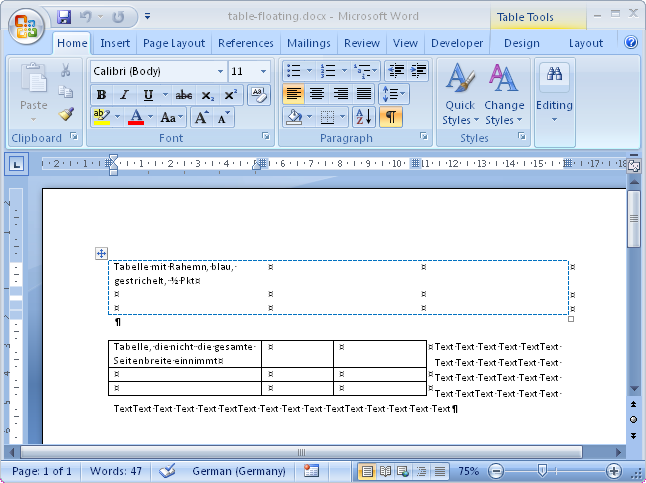
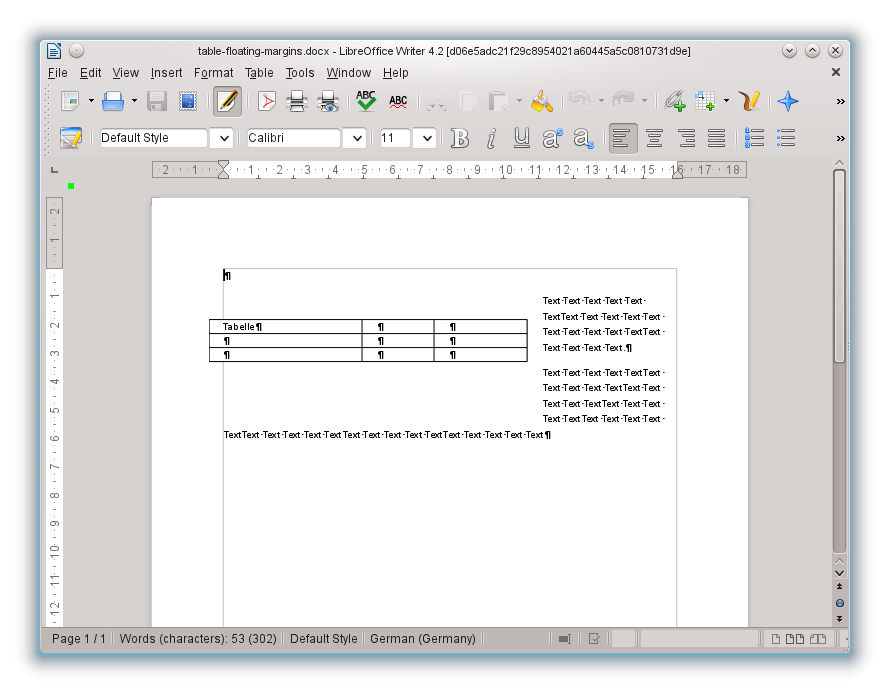
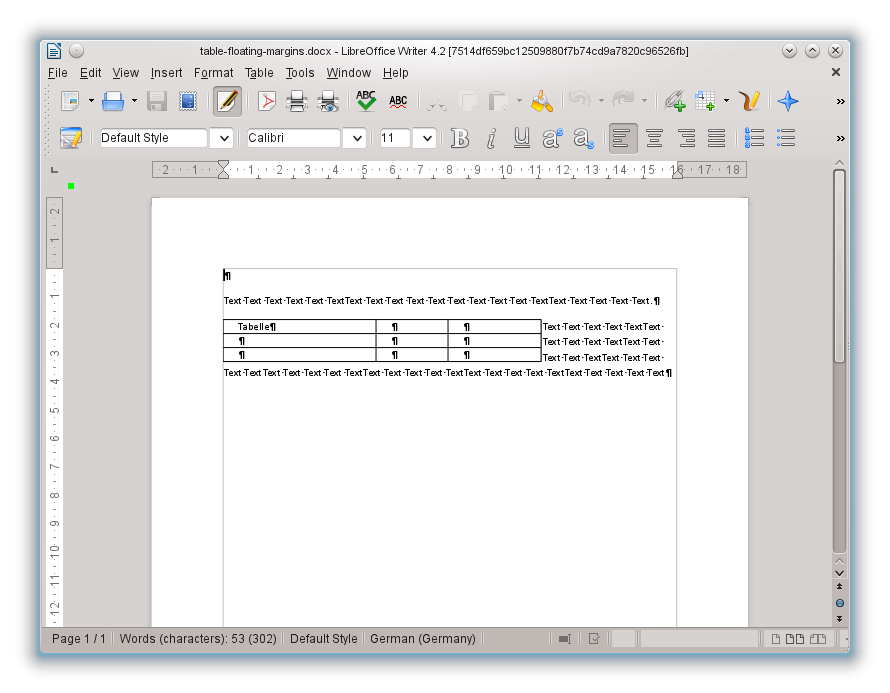
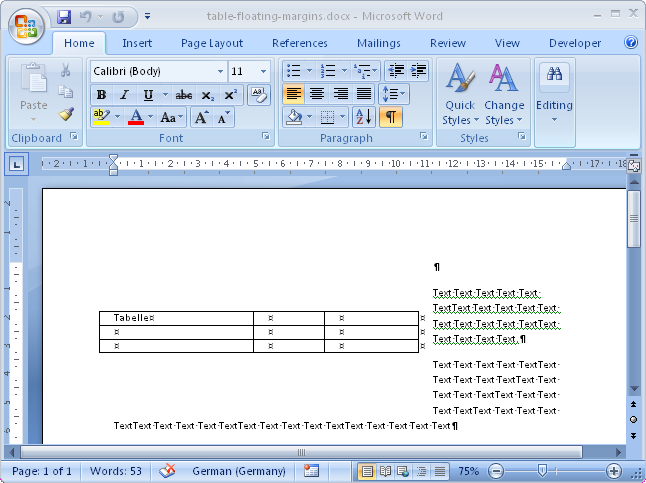
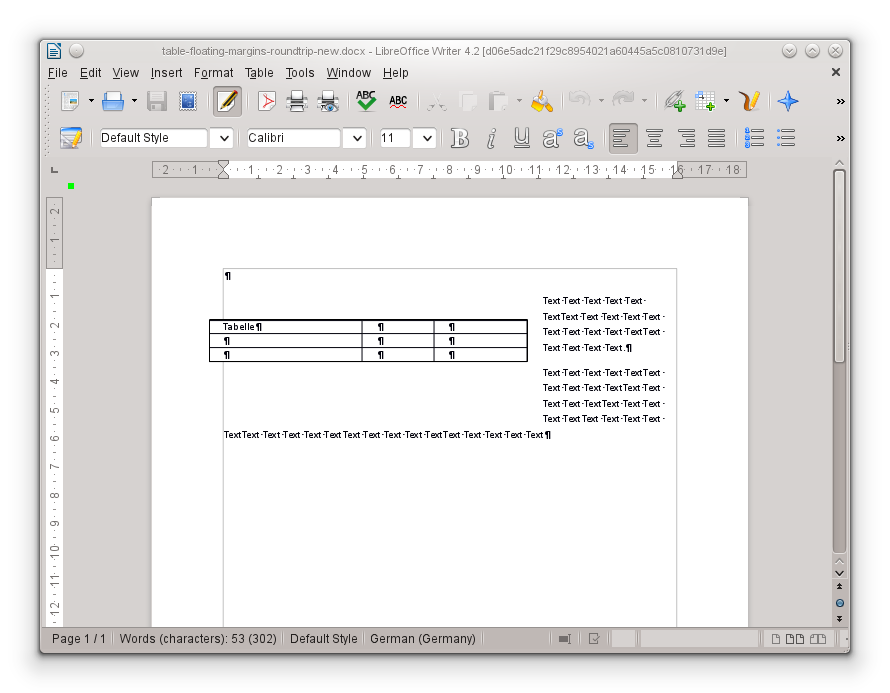
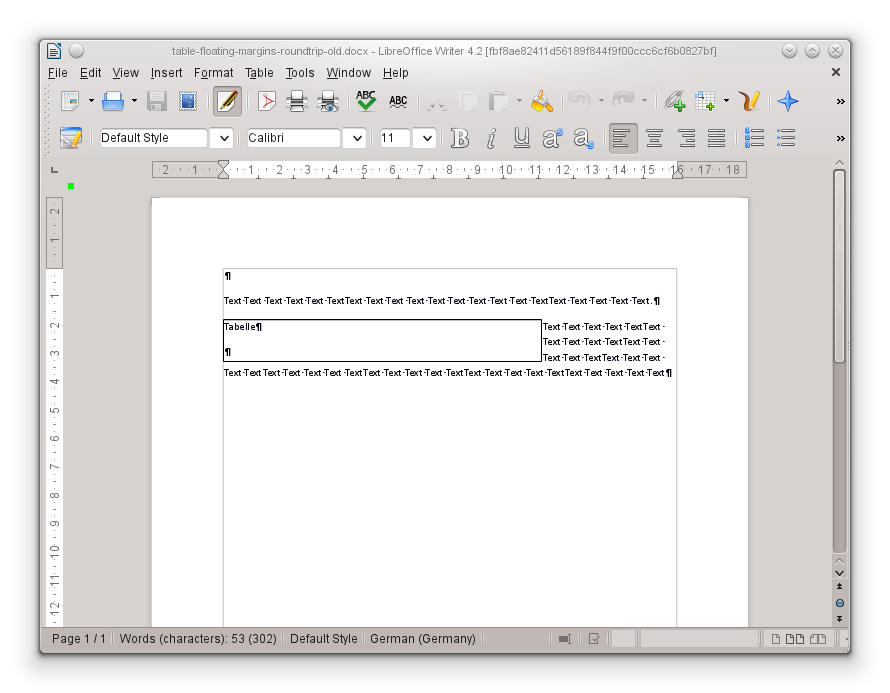
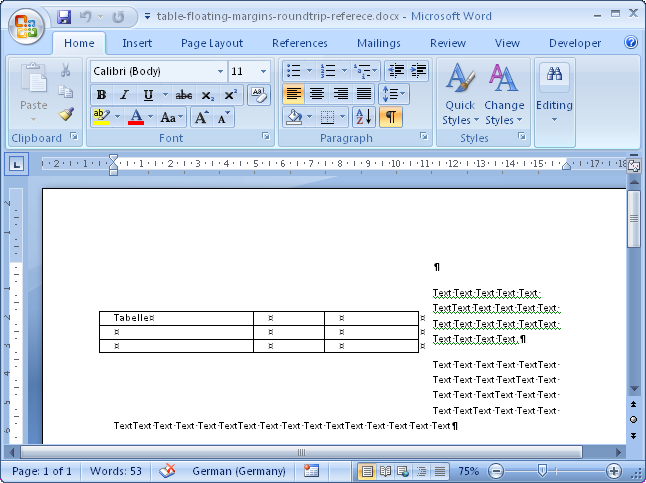
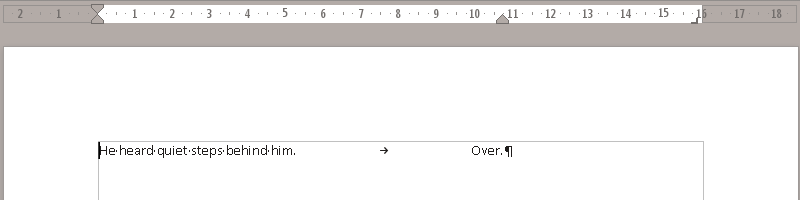
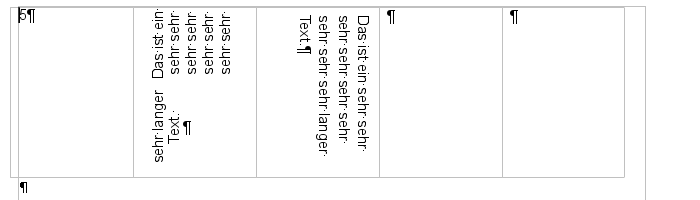
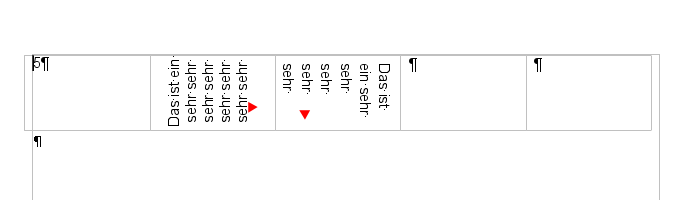
I'm posting here a few screenshots showing improvements I've recently
implemented in our DOCX import and export filter, done in the 4.2 development
cycle. Note that final 4.2 is still far from being released, so this is not a
complete list. :-) In each case I'm providing a screenshot showing how it looks
now on 4.2, how it looked before and the reference layout. Click on the
images to get a larger image:
If you want to try these out yourself, get a
daily build and play with it! :-) If
something goes wrong, report it to us in the
Bugzilla, so we can try fix it
before 4.2 gets branched off. And remember, there are lots more improvements
coming in LibreOffice 4.2
(even if some of them is not yet documented), stay tuned! ;-)
I just checked, I created my git 'push tree' more than a year ago, but
yesterday I was reminded that this technique isn't really documented anywhere,
so let me describe it.
Some background: for the LibreOffice codebase, we decided to do all
micro-features directly on the master branch. This means that we typically
rebase our local master branch against origin/master, then push it. The
benefit of this is that code gets wider testing quickly and the commit history
is not polluted with meaningless merge commits.
The problem: one drawback of the above situation is that after you pull, some
changes of other developers in the lower layers may trigger a full rebuild,
typically wasting about an hour of your life (or more, in case of slower
machines).
Push tree is one hack to avoid this problem. Using a push tree, you have two
separate repositories locally, you update your main one less regularly, and
when you have a commit to push, you push it from the push tree to be able to
avoid pulling in your main tree.
<2> replace $sha1 with the sha1 hash you got in the previous step
(There is a trick here, given that master-push already references the original
tree, you can go ahead with cherry-pick directly, without fetching branches
from your master tree.)
And that's it, you were able to push without waiting for a long rebuild!
Note: of course this technique has some drawbacks as well, so use with care.
Keep in mind the followings:
If your local master is not up-to-date enough, you'll get conflicts while
cherry-picking. I usually update my master tree once a day in the morning.
If you have a slower machine, do it once a week in the night, or so.
Even if you don't get conflicts, there can be cases when the result of the
cherry-pick in the push tree won't be what you want. Chances that this
happens is pretty low if your master tree is not super-old, see the previous
note.
An other non-technical but social reason to still update your master tree
regularly is that if everyone uses an infrequently updated master tree,
then nobody will fix breakages caused by others on origin/master. So updating
your real tree infrequently is a bit unfair to other developers.
Other than these, I can just recommend using a push tree, it helped me many
times not to loose focus in the middle of the day. (And as we all know, pushing
all your risky changes on Friday afternoon is also a bad idea. :-) )
I'm posting here a few screenshots showing improvements in our DOCX filter,
done in the 4.1 development cycle. In each case I'm providing a link to the
test document, a screenshot showing how it looked before and how it now looks
on 4.1. Click on the images to get a larger image:
document with a complex groupshape: multiple shapes had text (test doc):
If you want to try these out yourself, get a
daily build and play with it! :) If
something goes wrong, report it to us in the
Bugzilla, so we can try fix it in
the next 4.1 bugfix release. And remember, there are lots more improvements
coming in LibreOffice 4.1,
stay tuned!
Yesterday Novell Hungary organized
SUSE Conference 2013 here at
Budapest. As you can see above Andras held a LibreOffice-related presentation
there -- and we also ran a LibreOffice booth. As it was requested, we set up
quite some
(publicly
available) Android demos:
Impress remote
LibreOffice4Android (document viewer) on my phone (I needed a
fix
to get it running on a non-tablet, though)
The desktop app on a tablet -- thanks goes to the organizers who provided that for us!
About 200 visitors attended the conference, which counts as a great success in
this category. :-)
This year, LibreOffice's Hamburg hackfest happened last weekend, with more than
20 attendees. Thanks to the
sponsors, we
had free drink and food during the whole hackfest. ;-)
My original plan was to add support for tables inside text frames
in Writer, when importing from RTF. At the end I managed to do that, though not
the way I originally wanted to implement that feature. :-)
Here is how this looked with the RTF importer we inherited from OpenOffice.org (LO 3.4),
and then with the new RTF import filter (LO 3.6):
The Free Software Conference and Exhibition 2013 -- organized by FSF.hu -- was held yesterday @
Budapest. I gave a talk about hacking on Writer file format problems
(slides), this time in Hungarian.
After the talk I also held a one-hour workshop, showing how to start hacking on LO in practice:
first we did a build (using package manager to install dependencies, git clone, autogen, make, make dev-install)
április 14: Gödöllő K30, 102 km
(GPS
track, a kmóra ezeket mérte: idő 4h27m11s, átlag 22.8 km/h, max 45.7 km/h)
április 27: Dunakanyar, 125 km
(GPS
track, a kmóra ezeket mérte: idő 5h33m29s, átlag 22.4 km/h, max 37.0 km/h)
május 4: Ráckeve, 105 km
(GPS
track, a kmóra ezeket mérte: idő 4h31m31s, átlag 23.1 km/h, max 31.8 km/h)
május 27: Gödöllő K100, 168 km
(GPS
track, a kmóra ezeket mérte: idő 7h35m3s, átlag 22.0 km/h, max 51.4 km/h)
Ez utóbbi 4 túra valahogy majdnem mindig az utolsó pillanatban dőlt el, így
végül egyedül mentem. A K30/K100 útvonalakon szoktak szervezett versenyt is
csapni, korábban így jártam ezeken a helyeken, de most nem akartam
alkalmazkodni az általuk kitalált időpontokhoz. Sőt, a K100 útvonalán jól
látható, hogy Vácduka és Rád között van egy gyalog (meg persze MTB-vel :-) )
járható út, amit ki is használtam, egy felesleges kerülőt így megspórolva.
Lényeg a lényeg, abban a reményben indultam el az idei maratonra, hogy
reméltem, sikerül javítani a korábbi időkön.
Innentől felpörögtek az események: szokás szerint a rajtnál a depóból nem
indulhattunk el pontban 9:00-kor, mivel akkor még csak a verseny indul.
Valahogy így festett:
Aztán 9:15-kor lassan elindult a maraton eleje is, az a rész ahol én álltam a
kmóra szerint 9:22-kor. Mint mindig, most is lassú rajt kellett volna legyen
Zamárdiig (tilos előzni), de azért ezt nem sokan tartották be. Ugyanezen a
szakaszon szoktak jönni a sajtófotósok és végigvillantanak sok-sok embert; LGee
ki is keresett engem:
Nagyjából Balatonfürednél (160. km környéke) kezdett el jobban esni az eső, és ennek
hatására konzekvensen le is állt a kmóra. ;-) Aztán már újra a hetesen
karikázva a cél előtt kb. 8 km-rel újra bekapcsolt. Így a következőket mérte:
idő 6h24m42s, táv 168 km, átlag 26.1 km/h, max 49.8 km/h.
Szervezett versenyről lévén szó, a tényleges táv változatlanul 209 km volt, és
a célba 18h előtt sikerült beérni, ami azt jelenti, hogy sikerült megjárni az
egészet 8h29m alatt! :-) Összehasonlításképpen, a korábbi években az idők így
alakultak: 2012-ben 9h45m, 2011-ben 9h51m, 2010 9h29m.
mso-dumper is a
project that creates some -- more or less human-readable -- dump from binary
files. Initially Kohei Yoshida developed it to dump XLS, then Thorsten Behrens
added support for PPT files, finally during last November I started to add DOC
support.
You may ask: why that is useful? My answer is that I spend quite some time on
the import/export filters of LibreOffice Writer, and to be able to improve or
fix such filters, some knowledge of the file format in question and Writer
internals is needed. Regarding the file format knowledge, I find it much easier
to read the specification once and implement some simple dumper based on that
-- than reading the specification again and again, and just trying to
understand what's going on inside a binary file using a hex editor.
To my knowledge, such a dumper for the DOC format (in particular the WW8
version of it) did not exist previously.
WW8Dumper was the closest match, but that was
far from complete and I found extending mso-dumper easier.
To stress-test the parser, I used
get-bugzilla-attachments-by-mimetype
to get all DOC attachements from the Freedesktop bugzilla, and during the last
days I fixed the remaining crashes (actually this is why I write this post now
;-) ). If you want to try it out you can do so by:
git clone git://anongit.freedesktop.org/libreoffice/contrib/mso-dumper
cd mso-dumper
./doc-dump.py /path/to/doc/file.doc
The idea is that on any input the dumper should not crash: instead either it
should give you usable result, or in case some unhandled structure is reached,
it should print a <todo> XML tag. Other than that, of course patches welcome
-- that said, Maxime de Roucy already contributed a patch to the DOC part of
mso-dumper, thanks! :-)
A hétvégen Pécsett jártunk. Javában zajlott a
Zsolnay Fesztivál, így talán az átlagosnál több
ember hemzsegett az utcákon, de nem volt nyomasztó tömeg így sem. A következő
helyeket érintettük:
Zsolnay család- és gyártörténeti
kiállítás: itt rengeteg időt töltöttünk azzal, hogy megpróbáljuk a
családfát rekonstruálni, a sok ismétlődő Zsolnay miatt, persze nem
tudtuk, hogy a legutolsó teremben lesz egy kiosk ahol végig lehet követni
interaktívan mindazt amit magunk próbáltunk összerakni ;-) (TL;DR: a család
nagyrésze külföldön él, aki itt, az is inkább Budapesten -- a gyárhoz pedig
végképp nincs sok közük, mivel még '89 előtt gyakorlatilag mindegyiküket
kirakta állambácsi a saját gyárukból)
Trio Á fellépés: szegények kellemes háttérzenét játszottak a tűző napon, a közönség a közelben lévő árnyékot adó fák alatt helyezkedett el, és kellemesen diskurált, mivel ugye annyira nem volt izgalmas, hogy csak a zenére figyeljenek :-)
Szállásunk a Corso Hotel volt, akik egyből adtak egy
Irány Pécs! kártyát, valamint náluk vettük meg a
fenti fesztiválra is a napi belépőt, ezek után már a legtöbb helyre ingyenesen
bejuthattunk.
I did some experiments with using lcov on the LibreOffice codebase. The goal is
to have a quick iteration, so you can see the current coverage of a file or a
directory, select a method that is not yet tested, add a test for it, and
"test" the test by checking if the coverage indeed got improved. As a first
step, I tried this out on the Writer RTF import:
<3> extract coverage information to a single .info file
<4> generate some nice HTML output from the .info file
NOTE: lcov
had
problems with gcc-4.7, fully updated openSUSE 12.2 or 12.3 is known to work.
There is a
script
available to make the above a bit more automated.
The speed of the above depends on the amount of code needing a rebuild + the
number of tests, but it should not take more than a minute.
E.g. I noticed the bookmark import code isn't tested, added a
test
for it, and that indeed improved the line coverage of rtfdocumentimpl.cxx:
84.1% -> 85.0%.
A next area I wanted to test is the Writer RTF export. Let's pick something in
rtfattributeoutput.cxx... StartURL() is not tested, so a
hyperlink
testcase should help. Indeed it did: 50.2% -> 52.0%.
Last, but not at least, thanks to Norbert Thiebaud, who added gb_GCOV to
gbuild.
Then I experimented with improving our Writer gdb Python pretty-printers. One
annoying shortcoming was the lack of handling uno::Reference.
Imagine one searches for a bug related to table import for DOCX or RTF. One
idea is to check the arguments of the convertToTable() method call. The first
argument is a 2D array of XTextRange pairs, that describe what will be the
input for cell contents. So if you want to check the first cell, you do
something like this:
(gdb) b DomainMapperTableHandler.cxx:798
(gdb) r
(gdb) print (*m_pTableSeq)[0][0]
$1 = uno::Sequence of length 2 = {uno::Reference to (XInterface) 0x1a73648, uno::Reference to (XInterface) 0x1a77f68}
(gdb) print (*m_pTableSeq)[0][0][0]
$2 = uno::Reference to (XInterface) 0x1a73648
(gdb) print (*m_pTableSeq)[0][0][1]
$3 = uno::Reference to (XInterface) 0x1a77f68
Not that helpful. Here is how one could work it around:
Technically, it would be possible to make print (*m_pTableSeq)[0][0][0] work
as well, but for a larger class without a pretty-printer that would result in
multiple pages of output. Anyway, _pInterface is the same for all UNO
objects, so something that is not too hard to remember.
An other improvement is the XTextCursor pretty-printer. Example usage:
debugging of the commented text range ODF import. Before:
Finally, I experimented with reworking the textframe code in the RTF filter. In
short, the motivation is to bring the RTF filter in sync with the OOXML one,
which can nicely import and export text box gradients. To get there, there are
3 different problems to solve:
The RTF import filter currently imports rectangle and textbox shapes as
drawinglayer rectangles, even if they have some text inside. Just like the
OOXML import filter, we would better import these shapes as Writer textframes,
as long as they contain some text.
The RTF export writes Writer textframes as old-style Word frames, not as text
box shapes. This should be changed, as the old syntax doesn't support
gradients, and in general both the DOC and DOCX export filters already export
new-style Word frames, so there is no reason why the RTF filter would not do
the same.
Once all the above is done, add support for gradients in the RTF filter, in a
similar way OOXML filters were already improved to handle gradients.
Once this all is done, add new testcases to cover the new code.
First I had hacked on #1, sadly Writer textframes and drawinglayer rectangles
don't share the exactly same UNO API, like drawinglayer has TextWritingMode
and a Name property, Writer textframes have a WritingMode property instead,
and additionally they implement the XNamed UNO interface, etc.
Then I switched to #3 -- there I managed to reuse our existing VML import to do
the hard work: the RTF tokenizer reads the RTF shape properties, then
constructs the same VML model what is normally built from v:fill and v:shadow
XML elements inside DOCX files, finally the VML import does the mapping of
Word's gradient concept to the Writer gradient concept.
At the end of the week I also hacked on #2 and #4 -- and while I did so, I
noticed two more interesting details of Word's new-style RTF textframe markup:
The bad news: Writer supports having different top/left/bottom/right borders,
RTF still just supports the concept of a single line around the textframe.
The good news: old-style RTF frames didn't support different left/right or
top/bottom external margins, but Writer does -- so now using the new syntax,
this is exported properly.
Unrelated to the above, I
fixed
an annoying git bug, when one tried to cherry-pick multiple commits at the same
time, and copy&paste went wrong, the "unrecognized" arguments were just
silently ignored. Now one gets an error instead.
In parallel to the above, Thorsten was kind enough to explain how to update
docs.libreoffice.org: The new output is generated
using doxygen 1.8, it contains a bit more eye-candy. E.g. notice the new
foldable subsections
here. ;-)